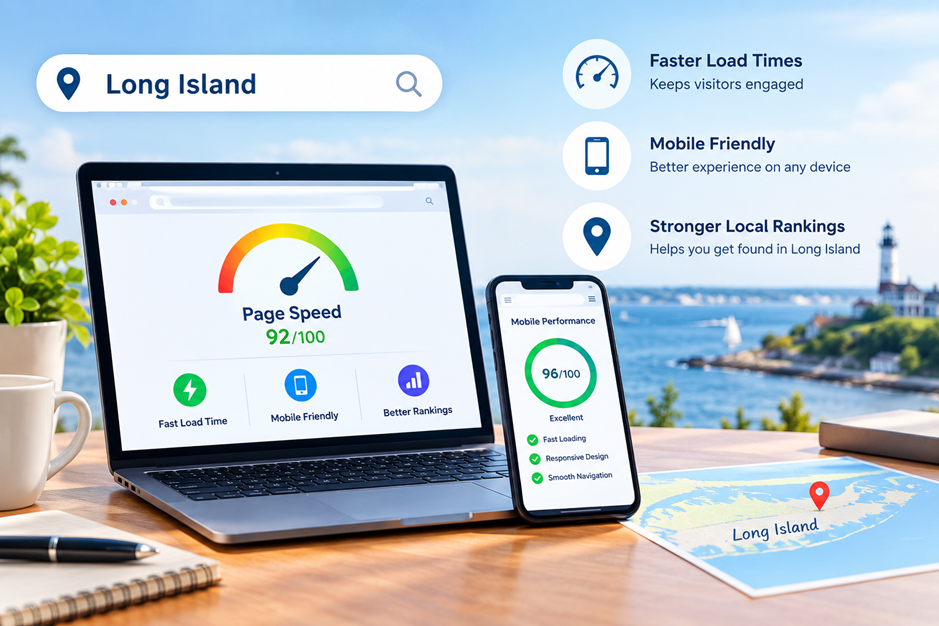
Google Business Profile Optimization: A Long Island Business Owner's Checklist
For local businesses, showing up in search results at the right time can make a big difference. Whether you own a restaurant, law firm, retail store, or home service company in Long Island, your Google Business Profile is one of the first things potential customers see. Keeping it updated and optimized helps improve visibility, build trust, and encourage more people to contact your business.
This guide explains a practical checklist for improving your Google Business Profile. Following these steps can help you provide accurate information, improve customer experience, and increase your chances of appearing in local search results. If you work with a digital marketing specialist, these recommendations can also support your overall local SEO strategy.
Why Google Business Profile Matters
A Google Business Profile gives customers quick access to important information such as your location, business hours, phone number, website, and reviews. Many people search for businesses on Google before making a purchase or booking a service.
An optimized profile helps you:
- Improve local search visibility
- Build customer trust
- Make it easier for customers to contact you
- Share updates and promotions
- Showcase products or services
- Encourage more customer reviews
Businesses across Long Island can benefit from keeping their profiles complete, accurate, and active.
What Is Google Business Profile Optimization?
Google Business Profile Optimization is the process of improving every section of your business profile so it performs better in Google Search and Google Maps. It involves keeping your information current, adding high quality photos, responding to customer reviews, and publishing relevant updates. Optimization is not a one time task. Regular maintenance helps ensure customers always receive accurate information and helps Google better understand your business.
A Complete GBP Checklist for Long Island Businesses
Following a structured GBP checklist helps ensure no important detail is missed.
Claim and Verify Your Business
The first step is claiming your Google Business Profile if you have not already done so. Verification confirms that you are the legitimate business owner and gives you access to profile management features. Without verification, you cannot fully update or optimize your listing.
Use Your Official Business Name
Always use your real business name. Avoid adding extra keywords or location names that are not part of your registered business name. Keeping your business name accurate helps maintain credibility and follows Google's guidelines.
Select the Right Business Categories
Choosing the correct primary category tells Google what your business does. You can also add relevant secondary categories if they accurately describe your services.
For example:
- Marketing agency
- Restaurant
- Dentist
- Roofing contractor
- Auto repair shop
Add Complete Contact Information
Your profile should always include:
- Business phone number
- Website URL
- Physical address if customers visit your location
- Service areas if you travel to customers
Keep Business Hours Updated
Incorrect business hours can frustrate customers and result in missed opportunities.
Remember to update:
- Holiday hours
- Seasonal schedules
- Temporary closures
- Special event timings
Upload High Quality Photos
Photos help customers understand what to expect before visiting your business.
Consider uploading:
- Exterior photos
- Interior photos
- Team photos
- Product images
- Service photos
- Office environment
Write a Helpful Business Description
Your business description should clearly explain:
- What your business offers
- Who you serve
- Your experience
- Your service area
- What makes your approach unique
Keep the description informative rather than promotional. Focus on helping customers understand your business instead of using sales focused language.
Enable Messaging
If messaging is available for your profile, enable it so customers can ask quick questions directly through Google. Responding promptly helps create a positive customer experience and may encourage more inquiries.
Add Products and Services
Businesses should list the products or services they offer whenever possible.
Each listing can include:
- Service name
- Short description
- Pricing if appropriate
- Relevant images
Encourage and Respond to Customer Reviews
Customer reviews play an important role in local search rankings and influence how people choose a business. Positive reviews help build trust, while thoughtful responses show that you value customer feedback.
When responding to reviews:
- Thank customers for positive feedback.
- Respond professionally to negative reviews.
- Address concerns politely and offer solutions when appropriate.
- Avoid generic or repetitive responses.
Publish Google Posts Regularly
Google Posts allow you to share updates directly on your Business Profile. While they are not a direct ranking factor, they help keep your profile fresh and provide useful information for potential customers.
You can publish posts about:
- Company updates
- New services
- Community events
- Seasonal announcements
- Helpful business tips
Keep the Questions and Answers Section Updated
The Questions and Answers section is often overlooked but can be very helpful for customers.
Monitor this section regularly and provide clear answers to common questions such as:
- Business hours
- Parking availability
- Appointment requirements
- Service areas
- Payment methods
Monitor Business Performance
Google Business Profile provides valuable insights that help you understand customer behavior.
Review metrics such as:
- Profile views
- Website clicks
- Phone calls
- Direction requests
- Photo views
- Search queries
These insights help you identify which areas are performing well and where improvements may be needed. A digital marketing specialist can use this data to support broader local SEO strategies and make informed optimization decisions.
Keep Your Website and Profile Consistent
Your website and Google Business Profile should always display the same information.
Check that the following details match across all platforms:
- Business name
- Address
- Phone number
- Website URL
- Business hours
Common Google Business Profile Mistakes to Avoid
Many businesses unintentionally limit their local visibility by making avoidable mistakes.
Common issues include:
Leaving Information Incomplete
Missing contact details, outdated hours, or an incomplete description can reduce customer confidence.
Ignoring Reviews
Failing to respond to reviews may give the impression that customer feedback is not valued.
Using Poor Quality Photos
Dark, outdated, or blurry images can create a poor first impression.
Forgetting Regular Updates
A profile that has not been updated in months may appear inactive.
Choosing Incorrect Categories
Selecting categories that do not accurately describe your business can reduce your chances of appearing in relevant searches.
Why Regular Maintenance Matters
Google frequently updates local search results, making regular profile maintenance essential. Reviewing your profile every month helps ensure your information remains accurate and useful.
A simple monthly review can include:
- Checking business hours
- Updating photos
- Responding to reviews
- Publishing a new post
- Reviewing profile insights
- Verifying contact information
Using a regular GBP checklist makes it easier to stay organized and avoid missing important updates.
Final Thoughts
Managing your Google Business Profile consistently helps improve local visibility and provides a better experience for potential customers. By keeping your information accurate, updating photos, responding to reviews, and monitoring performance, you can build a stronger local presence over time.
If you need help optimizing your profile or improving your local digital presence, Sound UP Marketing is here to assist. Contact us today to learn more about practical strategies that support your business goals.
Frequently Asked Questions
1. How often should I update my Google Business Profile?
Review your profile at least once a month to ensure your business hours, contact information, photos, and services remain accurate.
2. Does Google Business Profile help local SEO?
Yes. A complete and well-maintained profile improves your chances of appearing in Google Search and Google Maps for relevant local searches.
3. Why are customer reviews important?
Customer reviews build trust, improve credibility, and provide valuable information for potential customers while supporting local search visibility.
4. Can I manage my Google Business Profile myself?
Yes. Business owners can manage their own profiles, although working with professionals may help identify additional optimization opportunities.
5. What should be included in a Google Business Profile?
A complete profile should include accurate contact information, business hours, categories, services, photos, customer reviews, business descriptions, and regular updates.
Ready to turn the
#SoundUP?
Let's connect! We’re here to help.
Send us a message and we’ll be in touch.
Or give us a call today at 631-919-7441
Agency Contact Form
More Marketing Tips, Tricks & Tools